
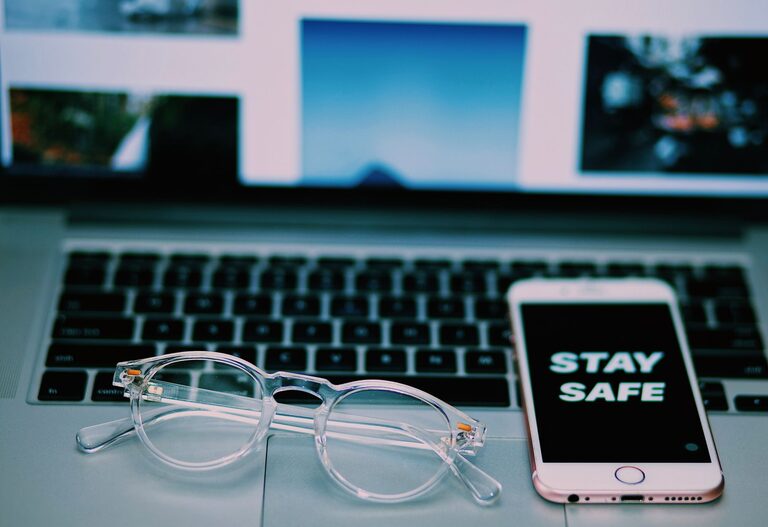
Keeping your phone and keyboard clean is essential for both hygiene and maintaining the longevity of your devices. Daily use can lead to buildup of dirt, oils, and germs on surfaces we touch frequently. However, cleaning electronics requires caution to avoid damage. In this guide, we’ll walk you through safe and effective techniques to clean your phone and keyboard without risking harm.
Why Cleaning Your Devices Matters
Phones and keyboards are among the most-touched items in our lives. Studies have shown they can harbor more germs than some household surfaces. Regular cleaning helps reduce the spread of bacteria and viruses, while also removing dust and grime that can affect performance.
General Safety Tips Before You Begin
– Power off your device: Always turn off your phone or keyboard and unplug it if possible before cleaning.
– Avoid excess moisture: Liquids can damage electronics. Use dampened cloths instead of spraying cleaners directly.
– Use gentle cleaning materials: Harsh chemicals or abrasive tools can scratch or damage surfaces.
– Check manufacturer’s guidelines: Some devices have specific cleaning recommendations.
How to Clean Your Phone Safely
What You’ll Need:
– Microfiber cloth
– Distilled water
– Isopropyl alcohol (70% or less concentration)
– Cotton swabs
– Soft-bristle brush (optional)
– Screen-safe cleaning wipes (optional)
Step-by-Step Guide
- **Turn off your phone** and unplug any cables.
- **Remove phone case** if you use one and clean it separately using soap and water.
- **Mix a solution** of 50% distilled water and 50% isopropyl alcohol in a small spray bottle (optional).
- **Lightly dampen a microfiber cloth** with the solution or use screen-safe wipes.
- **Gently wipe the phone’s screen and back**, avoiding any openings like charging ports or speakers.
- Use a **cotton swab dampened with the cleaning solution** to carefully clean around buttons, camera lenses, and edges.
- For stubborn dirt, use a **soft-bristle brush** to loosen debris before wiping.
- **Allow the phone to dry completely** before turning it back on or replacing the case.
Tips:
– Avoid household cleaners with ammonia or bleach.
– Don’t spray liquids directly onto your phone.
– Clean your phone regularly, especially during cold and flu season.
How to Clean Your Keyboard Safely
What You’ll Need:
– Compressed air can
– Microfiber cloth
– Isopropyl alcohol (70% or less)
– Cotton swabs
– Soft brush or keyboard brush
Step-by-Step Guide
- **Turn off your computer** or unplug the keyboard if it’s external.
- **Turn the keyboard upside down** and gently shake to dislodge loose debris.
- Use a **compressed air can** to blow dust and particles from between the keys. Hold the can upright and spray in short bursts.
- Lightly dampen a microfiber cloth with isopropyl alcohol or a cleaning solution.
- **Wipe the key surfaces and keyboard frame** carefully.
- Use a **cotton swab dipped in alcohol** to clean around individual keys and tight spaces.
- For mechanical keyboards, you can **remove keycaps** if comfortable, clean them separately with mild soap and water, and dry thoroughly before reattaching.
- Allow everything to dry completely before reconnecting or powering on.
Tips:
– Don’t use excessive liquid that can seep under keys.
– Clean your keyboard at least once a month, or more often if you eat near it.
– Avoid harsh chemicals and abrasive pads.
Additional Tips for Both Devices
– Wash your hands before using devices to reduce transfer of oils and dirt.
– Avoid eating or drinking while using electronics to prevent spills and crumbs.
– Store devices in clean areas and regularly dust your workspace.
Conclusion
Cleaning your phone and keyboard safely doesn’t have to be complicated. With the right materials and gentle techniques, you can keep these essential tools clean and functioning well. Make cleaning a routine part of your device care to enjoy a healthier and more pleasant tech experience.
Remember to always handle your devices gently and follow any specific manufacturer instructions to avoid voiding warranties or damaging sensitive components. Happy cleaning!